
You might have noticed these days that just about everything is connected to the internet including our TVs and even refrigerators! And even though most computers come with an Ethernet port for… Read More
If you are the type who likes to build their own computer, or at least install the operating system yourself on your computer, then you may run into problems when it comes… Read More
There are many desktop virtualization programs you can use on your home computer or even in the office, and most of them do a good job at allowing you to easily create… Read More
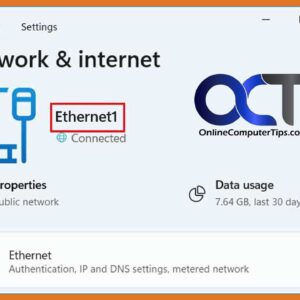
Microsoft Windows uses connection names and adapter names for both Ethernet and wireless network connections. For the adapter name it will be something similar to Ethernet or maybe Ethernet2 if you have… Read More
There are many desktop virtualization programs you can use to create virtual machines on your home computer such as VMware Workstation, VMware Player, VirtualBox, Parallels, Hyper-V Desktop and so on. Out of… Read More
Customizing the way Windows looks and operates is one of the first things many people do when setting up a new computer. There are many ways to go about customizing Windows from… Read More
Oracle VirtualBox is a free virtualization platform that you can run on top of another operating system such as Windows or Linux. It allows you to create virtual machines (VMs) that can… Read More
Windows 11 has been around for some time now and has some nice features that Windows 10 doesn’t have yet is still missing some of the functionality that we loved in Windows… Read More
Virtualization is the process of creating virtual versions of computers that run within software on a physical host computer. This allows you to run multiple virtual machines (VMs) with their own operating… Read More

If you use a computer and have an internet connection, then you most likely have an email account or maybe multiple email accounts. And with these email accounts, you most likely get… Read More