When it comes to connecting devices to computers, two names often come up: USB (Universal Serial Bus) and FireWire (IEEE 1394). Both have played significant roles in data transfer technology, but they differ in design, speed, and use cases. Understanding these differences is essential for anyone working with external devices, multimedia equipment, or legacy hardware.
What is USB?
USB was introduced in the mid-1990s to simplify the connection between computers and peripherals. It quickly became the universal standard for keyboards, mice, printers, storage devices, and more.
Key Characteristics of USB:
- Origins: Developed by a consortium including Intel, Microsoft, and IBM; first released in 1996.
- Purpose: Designed for general connectivity and ease of use across a wide range of devices.
- Speed Evolution:
- USB 1.0: 1.5 Mbps (low speed)
- USB 2.0: 480 Mbps
- USB 3.0: 5 Gbps
- USB 3.1 Gen 2: 10 Gbps
- USB 4: Up to 40 Gbps
- Architecture: Host-controlled system, meaning all communication goes through the computer.
- Power Delivery: Provides power to connected devices, eliminating the need for separate adapters.
- Compatibility: Universally adopted, backward compatible, and widely supported across platforms.
What is FireWire?
FireWire, officially known as IEEE 1394, was developed by Apple in the late 1980s and introduced in the mid-1990s. It was designed for high-speed data transfer, particularly for multimedia applications.
Key Characteristics of FireWire:
- Origins: Created by Apple; standardized as IEEE 1394.
- Purpose: Optimized for real-time, high-bandwidth data transfer, making it ideal for video editing and audio production.
- Speed Evolution:
- FireWire 400: 400 Mbps
- FireWire 800: 800 Mbps
- Later versions (S1600, S3200): Up to 3.2 Gbps, though rarely adopted.
- Architecture: Peer-to-peer design, allowing devices to communicate directly without a computer acting as a host.
- Power Delivery: Can supply power to connected devices.
- Device Support: Commonly used for professional cameras, audio interfaces, and external drives.
Key Differences Between USB and FireWire
- Speed:
- Early FireWire versions were faster than USB 1.0 and 2.0, but USB 3.0 and later versions far surpassed FireWire speeds.
- Architecture:
- USB uses a host-based system; FireWire supports peer-to-peer communication.
- Use Cases:
- USB is universal for everyday peripherals.
- FireWire was favored for professional multimedia tasks requiring consistent bandwidth.
- Device Capacity:
- USB supports up to 127 devices per controller.
- FireWire supports up to 63 devices per bus.
- Current Status:
- USB remains the dominant standard and continues to evolve.
- FireWire is largely obsolete, replaced by faster technologies like Thunderbolt and USB-C.
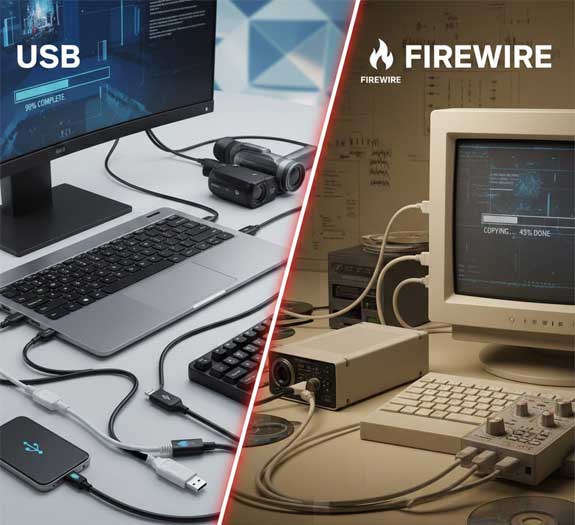
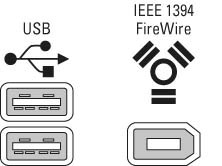
USB and FireWire ports
Which One Should You Use Today?
For most users, USB is the clear winner due to its speed, compatibility, and widespread adoption. FireWire, while revolutionary in its time, is now considered legacy technology and rarely found on modern devices.
Tips for Choosing the Right Interface
- Use USB 3.0 or higher for fast data transfers and universal compatibility.
- If working with older professional video or audio equipment, you may still encounter FireWire ports—consider adapters if needed.
- For cutting-edge performance, look into USB-C and Thunderbolt, which offer speeds up to 40 Gbps.
For additional training resources, check out our online IT training courses.
Check out our extensive IT book series.