Last Updated on July 26, 2026
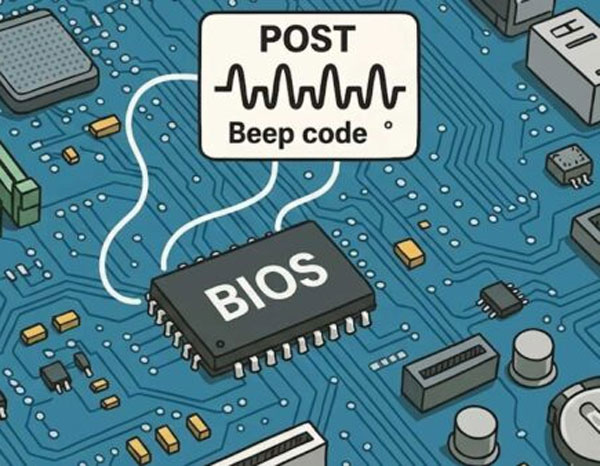
There are few things more terrifying for a PC user than pressing the power button and getting a black screen accompanied by a strange sequence of electronic beeps. When your computer refuses to boot into Windows 10 or Windows 11 and instead greets you with a series of beeps, it is performing a POST (Power-On Self-Test). Before the motherboard can even load your operating system or turn on your monitor, it has to physically check the hardware to make sure the processor, RAM, and video card are functioning.
Since the system cannot display an error message on the screen yet, it uses these audible patterns. They act much like Morse code to tell you exactly which hardware component is failing.
To use this guide, listen carefully to the number of beeps and note whether they are short or long. Most modern motherboards follow AMI or Award standards. Many brand-name PCs like Dell, Lenovo, or HP have their own unique patterns. Find your motherboard manufacturer below and match the code to diagnose your dead PC.
Phoenix BIOS Beep Codes
1. Phoenix Code 1-1-2 (CPU Failure)
Phoenix BIOS uses a sequence of short beeps separated by pauses. Hearing one beep, a pause, one beep, a pause, and then two quick beeps indicates a massive processor failure. You either have a defective CPU or a completely dead motherboard.
2. Phoenix Code 1-3-1 (Memory Error)
Hearing a one, three, one sequence points directly to a memory refresh failure. Your system cannot properly read the installed RAM modules. You must reseat your memory sticks or replace them entirely to fix this boot error.
3. Phoenix Code 3-3-4 (Video Card Failure)
This specific sequence tells you that the video memory has failed. The motherboard cannot initialize your dedicated graphics card or the onboard integrated graphics. Reseating the GPU or swapping it for a known working card will usually solve this problem.
AMI BIOS Beep Codes
1. AMI 3 Beeps (Memory Failure)
American Megatrends keeps things simple by using a straight sequence of short, rapid beeps. Three consecutive beeps indicate a base 64K memory failure. This means your primary RAM stick is defective or improperly seated in the motherboard slot.
2. AMI 5 Beeps (Processor Error)
Hearing five rapid beeps means you have a critical processor error. The motherboard detects the CPU but cannot communicate with it properly. Check for bent pins in the CPU socket or verify your cooling block is mounted correctly.
3. AMI 8 Beeps (Video Memory Error)
Eight beeps point directly to a video adapter failure. The system cannot read the VRAM on your graphics card. You need to verify your PCIe power cables are plugged in and ensure the GPU is locked into the top slot.
Award BIOS Beep Codes
1. Award 1 Long, 2 Short Beeps (Video Error)
Award BIOS codes are distinct because they combine long and short sounding beeps. Hearing one long beep followed by two short ones indicates a severe video adapter failure. Your monitor will remain blank until you replace the defective graphics card.
2. Award Repeating Beeps (Memory Error)
An endless loop of standard beeps points to a critical memory error. The motherboard cannot detect any usable RAM installed in the system. You must clean your memory contacts and try booting with just one stick installed.
3. Award High Frequency Beeps (Overheating)
Hearing an alarm style high frequency beep means your CPU is actively overheating. The motherboard triggers this thermal shutdown to prevent physical fire or melting. You must immediately check your CPU fan and reapply fresh thermal paste to the processor.
Dell Computer Beep Codes
1. Dell 2 Beeps (No RAM Detected)
Dell computers use their own proprietary beep codes for diagnostics. Two repeating beeps mean the motherboard cannot detect any installed memory. Pushing firmly on your RAM sticks until the side clips click into place usually fixes this issue.
2. Dell 5 Beeps (CMOS Battery Failure)
Five beeps indicate a completely dead CMOS battery. The motherboard has lost its time settings and hardware configuration data. Replacing the cheap CR2032 coin battery on the board will instantly cure this boot failure.
3. Dell 6 Beeps (Video Card Error)
Six beeps warn you of a fatal video card error. The system fails to initialize the display output during the POST sequence. You need to test a different graphics card or plug your monitor directly into the motherboard video port.
HP and Compaq Beep Codes
1. HP 1 Short, 1 Long Beep (Memory Issue)
Hewlett-Packard desktops rely on long and short tone combinations. One short beep followed by one long beep indicates a memory read error. You must inspect your RAM slots for dust and verify the memory modules are pushed down completely.
2. HP 2 Short, 1 Long Beep (Graphics Issue)
Hearing two short beeps and one long beep points to a graphics initialization failure. The motherboard cannot communicate with your display adapter. Removing the graphics card and cleaning the gold PCIe contacts will often restore video output.
Lenovo and IBM Beep Codes
1. Lenovo 3 Short, 1 Long Beep (DRAM Error)
Lenovo and legacy IBM systems use specific patterns for hardware checks. Three short beeps followed by a long beep indicate a major DRAM failure. You need to replace your system memory with known working modules to get past this error.
2. Lenovo 2 Long, 3 Short Beeps (Video Error)
This specific long and short pattern tells you the video card is failing. The system cannot load the required graphics firmware to display the boot logo. Swapping the video card is the only reliable way to fix this hardware block.
3. IBM Continuous Beeps (Power Supply Failure)
An endless solid beep with no pauses indicates a catastrophic power delivery failure. Your power supply unit is failing to provide the correct voltage to the motherboard. You must replace the entire power supply before you damage the rest of your computer.
What If I Don’t Hear Any Beeps At All?
1. Check the EZ Debug LEDs
Many modern PC cases and high-end gaming motherboards no longer come with a built-in internal speaker. Look closely at your motherboard for four small LED lights clustered together. They are usually labeled CPU, DRAM, VGA, and BOOT. When you turn the PC on, these lights will flash. If the startup process fails, one of those lights will stay permanently lit in solid red, white, or yellow. The lit LED tells you exactly which piece of hardware is causing the failure.
2. Read the Post Code Display
Many premium motherboards have a tiny two-digit LED screen directly on the circuit board. If your PC fails to boot, this screen will freeze on a specific alphanumeric code like 00 or A2. You must check your specific motherboard manual to translate what that exact code means.
3. Install a Motherboard Beeper
If you are working on a custom build and your motherboard does not have LEDs or a digital display, check your motherboard box. Manufacturers usually include a tiny black circular speaker attached to two wires. You need to physically plug this into the four-pin speaker header on your motherboard. This header is usually located along the bottom edge of the board.
Pro Technician Troubleshooting FAQ
1. Dealing with Thermal Creep
Hardware moves over time due to thermal creep. Every time your computer heats up and cools down, the microscopic expansion and contraction can slowly push a RAM stick or a heavy graphics card slightly out of its slot. Dust buildup can also short out contact pins causing sudden boot failures. The very first thing you should do when you hear a beep code is unplug the PC, open the case, and physically push down on your RAM and GPU to ensure they are seated firmly.
2. Fixing Memory Beep Codes
If your motherboard indicates a memory failure, you rarely need to buy new RAM right away. Unplug the PC, remove all of your RAM sticks, and gently rub a clean pencil eraser across the gold contact pins to remove any invisible oxidation. Blow out the RAM slots with compressed air, and reinsert just one stick of RAM into the primary slot. If it boots, turn it off and add the next stick.
3. Curing Continuous Beeping Sounds
A continuous beep that never pauses almost always points to a catastrophic power delivery failure. This usually means your Power Supply Unit is failing entirely. It can also mean you forgot to plug the supplemental PCIe power cables into your graphics card during a new build.
4. Replacing Dead CMOS Batteries
Your motherboard relies on a tiny silver CR2032 watch battery to remember its BIOS settings. If this battery dies, your motherboard might forget how to communicate with your hard drive or CPU. This triggers a CMOS configuration error during the boot sequence. Popping out the battery and replacing it with a fresh one for three dollars can often bring a dead computer back to life.
Beep codes usually point to a hardware seating issue. If you’ve identified a RAM or Disk error through these beeps, check out our guide on Using Hiren’s BootCD to run a stress test once you get the system back up and running!
For additional training resources, check out our online IT training courses.
Check out our extensive IT book series.