
You may have noticed that everything we do these days is online and that we need to have an email account associated with every device we own and sign into. Of course… Read More
If you are like most people, you use your computer on a daily basis for things such as work, shopping, social media and so on. And when you start your computer, you… Read More
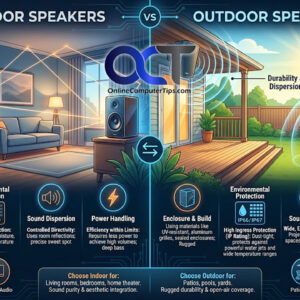
Choosing the right speakers for your home entertainment or outdoor setup can significantly enhance your listening experience. Whether you’re setting up a cozy living room system or planning an outdoor party space,… Read More
If you are responsible for maintaining shared computers or computers on your work network, you may have the need to block a program from being opened or accessing the internet for security… Read More
VMware is one of the most popular virtualization platforms in use today. They have everything from enterprise level hypervisors to the free VMware Player app that anyone can use to create a… Read More
You may not have known that you can add comments to folders in File Explorer so that way when you view these folders you can see these comments next to them. Many… Read More
Google Drive is Google’s free cloud storage platform that you can use to back up your files and also share them if desired. If you have a Gmail account, then you will… Read More
If you are what is known as a Windows power user, then you most likely have tried some of the built in Windows customization features or even downloaded one of those Windows… Read More
If you are looking for an easy and cheap way to get into the world of virtual machines, then using one of the available desktop virtualization platforms is the way to go.… Read More
If it weren’t for the ability to use the internet, many people probably wouldn’t even own a computer since many people use them mainly for email and web browsing. And for those… Read More