

Windows uses what is called a page file to store information when there is not enough memory (RAM) available to perform the current operations you are running on your computer. Windows automatically… Read More
The System Restore feature of Windows is used to return your computer to an earlier saved state without loosing any data files if you have system problems or other failures with your… Read More
Hard drives are mechanical devices with moving parts that need maintenance just like any other mechanical device. Of course there are flash or solid state hard drives that don’t have moving parts… Read More
If you use a Windows to connect to a Windows Server using remote desktop and get an error that says “The remote session was disconnected because there are no Terminal Server client… Read More

There can be many reasons why your computer doesn’t want to boot up or takes an unreasonable amount of time to start up. It is impossible to figure out the cause without… Read More

The Windows operating system runs on services and can’t function without them. There are many services running at all times with services depending on other services to run. Window has its own… Read More

The Windows Event Viewer is a handy built in Windows utility to diagnose problems with your computers and servers. The Event Viewer keeps a log of what is going on with your… Read More
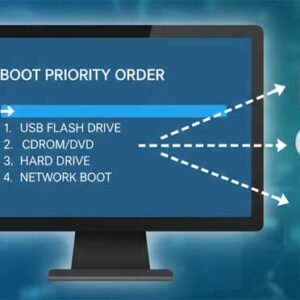
Computers have a set boot order that tells them which hardware device to boot off of first. You can boot from devices such as a hard drive, CD or DVD drive, floppy… Read More

Using the computer is very essential in today’s time. In fact, to a good extent many areas of life of an urban-based individual are dependent on it. Some use computers for leisure… Read More

Thunderbird is a popular email program created by Mozilla who also make the Firefox web browser. It’s free to use and has a similar interface to other email programs such as Microsoft… Read More