
Microsoft Office, which consists of various applications such as Word, Excel, PowerPoint and Outlook comes with a variety of fonts that you can use within your documents, spreadsheets, presentations and emails. And… Read More
Two of the most common document formats in use these days are Microsoft Word documents and Adobe PDF (Portable Document Format) files with Google Docs files near the top as well. In… Read More

There are many email services available these days with most of them being free to use. Of course, one of the most if not the most popular is Google’s Gmail email platform.… Read More

As you probably know, Microsoft Word is the most popular word processing application in use today and you most likely have it installed on your home computer via Microsoft Office or at… Read More
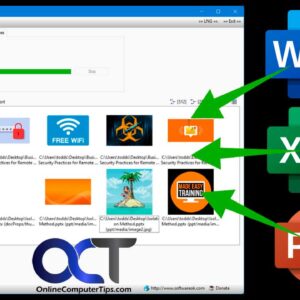
If you are a Microsoft Office user, then you most likely know that you can insert pictures or other objects into various Office programs such as Word, Excel and PowerPoint. And many… Read More
If you use a Windows computer at home or at the office, there is a good chance that it has Microsoft Office installed with applications such as Word, Excel, Outlook and PowerPoint.… Read More

Microsoft Excel is the most popular spreadsheet program in use today and is part of the Microsoft Office suite of programs that can be used on your desktop computer as well as… Read More

Microsoft PowerPoint is the most popular presentation software in use today and comes with the Microsoft 365 software suite. It is similar to the popular Google Slides online presentation app. In fact,… Read More
You may have noticed that many applications think they know better than you when it comes to predicting what you want to type as you are typing on your computer. Some people… Read More
Outlook .msg file types are proprietary file formats used by Microsoft Outlook to store email messages, attachments, and other related data. These files contain all the information associated with an email, including… Read More