

Customizing Windows is one of the first things people do when they get a new computer or reinstall Windows. And one of the more common things to do is to set a… Read More

If you are looking to upgrade your computer with a larger or faster hard drive, then get ready to pay more to do so. SSD hard drives are getting a lot more… Read More
If Outlook suddenly stopped sending or receiving emails right after installing Windows update KB5074109, you are not alone. Many users with POP3 accounts in Outlook Classic have reported freezes during send/receive, messages… Read More

For decades, Microsoft offered several ways to activate Windows, online activation, product key entry during setup, digital entitlement, and, for many years, a telephone-based activation system. That phone option served as a… Read More
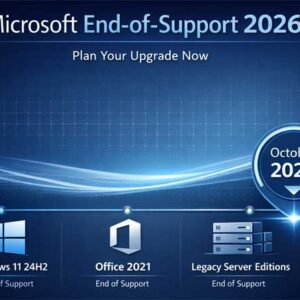
Microsoft has officially outlined its next major end-of-support cycle, and 2026 is shaping up to be a pivotal year for both consumers and businesses. Several widely used products such as Windows 11’s… Read More

PDF (Portable Document Format) files are a file format developed by Adobe that is designed to present documents consistently across different devices, operating systems, and software applications. You have most likely opened… Read More

If you’ve ever watched a long YouTube video and wished you could skip straight to the part you care about, you already understand why chapters matter. YouTube chapters break your video into… Read More

YouTube is the most popular streaming and hosting website in use today. YouTube offers multiple ways to organize and manage your viewing experience, but the differences between Playlists, Watch Now, and Queued… Read More
Flash drives are commonly used today for a variety of purposes from sharing and transferring files to installing operating systems such as Windows and Linux. If you frequently use your flash drive,… Read More

When it comes to email accounts, you have a lot of options such as Gmail, Yahoo, Proton, Outlook, iCloud and so on. And when it comes to email desktop clients, you have… Read More