Most people feel reasonably confident about their computer security. They have antivirus software running, maybe a firewall, possibly a VPN. They know not to click suspicious links in emails and they update their software when the notifications pop up. That is a solid baseline and it does protect against a lot of the common threats out there.
But there is a category of attack that antivirus software was never really designed to stop, and it is one of the most common ways people and businesses get infected with malware today. It arrives as a simple document that we are all familiar with: a Word file, a PDF, an Excel spreadsheet. So it looks normal, and it might even open as you’d expect. But while you are reading it, something quite sinister is happening in the background.
How do malicious documents actually work?
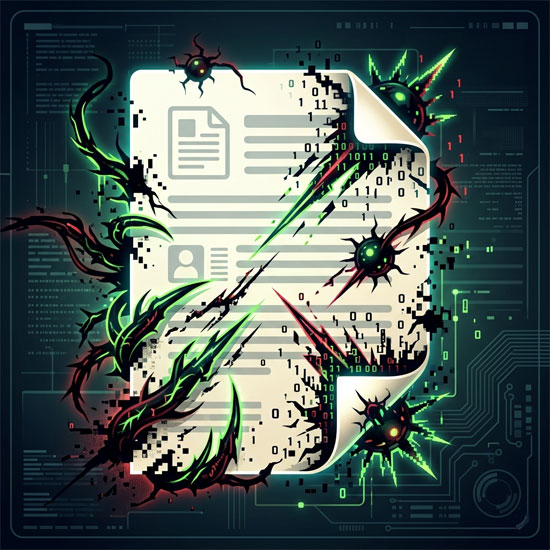
The files we use every day, Office documents and PDFs in particular, are surprisingly complex underneath. They are not just containers for text and images. They can carry macros, which are small programs that run automatically when the file opens. They also can contain embedded scripts, links that trigger downloads, and objects that execute code when clicked or even just viewed. This functionality exists for legitimate reasons; the macros in Excel genuinely save people hours of work. But the same mechanisms that make documents useful also make them a very convenient delivery vehicle for malware.
When someone sends you a malicious document, the attack does not usually look obvious or in any way dramatic. There is no flashing warning. The file opens, you see whatever content it was designed to show you, and somewhere in the background a script runs, a connection is made, and something gets installed. By the time anything feels wrong, the damage is often already done.
87% of ransomware is delivered this way, via documents rather than executable files. The reason is partly practical. Most people know not to run an unfamiliar .exe file. But a PDF from what looks like a supplier, or a Word document that appears to be an invoice? People open those without a second thought, every single day.
Why antivirus struggles with this specific problem
Antivirus software works by recognizing threats it has already encountered. It keeps a database of known malware signatures, patterns of code that match previously identified attacks, and it scans files looking for those patterns. When it finds a match, it blocks or quarantines the file. This works well for the vast majority of common malware, which is why antivirus remains an important layer of protection.
The problem is what happens when the malware is new. Every piece of malware starts out as something that has never been seen before. On day one, it has no signature. Antivirus software scanning a brand-new malicious document on day one will almost certainly find nothing wrong with it, because there is nothing in its database to compare it against. These are called zero-day exploits, and they are specifically designed to slip through signature-based detection.
Sophisticated attackers also craft documents that behave normally during automated scanning but activate only under specific conditions: after a certain amount of time has passed, when a particular user opens the file, or when the document detects it is not being observed. Sandboxing, where the file is opened in a safe environment to watch what it does, is one way security tools try to catch this. But determined attackers have learned to detect sandboxes too, and simply do nothing while being watched.
None of this means antivirus is useless. It catches enormous amounts of malware and is absolutely worth having. But it has a structural limitation when it comes to document-based threats that were not in its database when you opened that file.
A different approach: remove the threat rather than detect it
Content Disarm and Reconstruction, usually shortened to CDR, takes a fundamentally different approach to the problem. Rather than trying to identify whether a document is dangerous, it assumes every document could be dangerous and removes anything that could be used to run code, regardless of whether it looks suspicious.
The process works in four steps. First, the file’s actual format is verified against its claimed type, which catches files disguised as something they are not. Second, the document is broken into its components and everything with executable potential is stripped out: macros, scripts, embedded objects, active links, and anything else that falls outside what a safe document actually needs. Third, a clean version of the document is rebuilt from what remains. Fourth, the clean document is delivered, looking and reading exactly like the original but with everything that could have caused harm removed.
What makes CDR genuinely different is that it does not depend on knowing what the threat looks like. It does not need a signature database or a pattern to match. A zero-day exploit embedded in a Word document gets removed by CDR in exactly the same way as a known piece of malware, because both rely on the same mechanism: executable content inside a document. Take that out of every document, known threat or unknown, and the attack vector disappears.
This is why CDR works well as a layer that sits alongside antivirus rather than replacing it. Antivirus handles the broad landscape of known threats. CDR handles the specific problem of document-based attacks, including the ones that antivirus has never seen before. Red Eagle Tech’s content disarm and reconstruction service processes files through this exact pipeline, stripping out the dangerous elements and returning a clean, fully functional document.
Who is actually at risk from this kind of attack
The short answer is anyone who receives documents from external sources, which is essentially everyone with a computer. But some situations carry higher risk than others.
Small businesses are particularly exposed, partly because they receive a high volume of documents from customers, suppliers, and contractors, and partly because they typically have fewer security layers than large organizations. An accountancy practice receiving client documents, a property management company handling tenant applications, a medical practice receiving referral letters, a recruitment agency processing CVs: all of these involve opening documents from sources that cannot all be fully trusted, and most of them have no protection beyond standard antivirus.
Home users are not immune either. Phishing campaigns frequently use document attachments precisely because they slip past standard defenses. A PDF that appears to be a delivery notification, a Word document that looks like a bank statement, a spreadsheet disguised as a quote from a tradesperson: these arrive in inboxes constantly and a significant number of them are carrying something malicious.
File upload portals are another area of risk that often gets overlooked. If you run a website that allows users to upload documents, every single one of those uploads is a potential entry point. Without CDR on the receiving end, you are trusting that everyone uploading files has a clean machine and good intentions, which is not a reasonable assumption.
What good document security looks like in practice
The goal is not to stop opening documents. That is not realistic. The goal is to make sure that the documents you open cannot do anything other than show you their content.
Antivirus handles known threats and should always be part of your setup. Keeping it updated matters: a signature database that is three months old is significantly less useful than one that was updated this morning. Email filtering at the gateway level catches a lot of malicious attachments before they reach your inbox. Training yourself and anyone else using your devices to be sceptical about unexpected attachments is genuinely effective, even if it sounds basic.
CDR adds the layer that handles what the other tools cannot: the document that looks completely clean because it contains a threat that nobody has catalogued yet. For businesses handling significant volumes of external documents, or anyone who wants to be confident that opening a PDF is not going to result in a call to an IT specialist, it is worth understanding what is available. There is a broader breakdown of practical security steps for individuals and businesses in this cybersecurity essentials guide, which covers the full picture of what actually makes a difference versus what just sounds impressive.
The documents sitting in your inbox right now are almost certainly fine. The question is whether you would know if one of them was not, and whether your current setup would catch it before it caused a problem. For most people, the honest answer is that antivirus alone gives you partial coverage, and the gap it leaves is exactly where the most sophisticated attacks are designed to go.
Why antivirus software alone cannot protect you from malicious documents
Most people feel reasonably confident about their computer security. They have antivirus software running, maybe a firewall, possibly a VPN. They know not to click suspicious links in emails and they update their software when the notifications pop up. That is a solid baseline and it does protect against a lot of the common threats out there.
But there is a category of attack that antivirus software was never really designed to stop, and it is one of the most common ways people and businesses get infected with malware today. It arrives as a simple document that we are all familiar with: a Word file, a PDF, an Excel spreadsheet. So it looks normal, and it might even open as you’d expect. But while you are reading it, something quite sinister is happening in the background.
How do malicious documents actually work?
The files we use every day, Office documents and PDFs in particular, are surprisingly complex underneath. They are not just containers for text and images. They can carry macros, which are small programs that run automatically when the file opens. They also can contain embedded scripts, links that trigger downloads, and objects that execute code when clicked or even just viewed. This functionality exists for legitimate reasons; the macros in Excel genuinely save people hours of work. But the same mechanisms that make documents useful also make them a very convenient delivery vehicle for malware.
When someone sends you a malicious document, the attack does not usually look obvious or in any way dramatic. There is no flashing warning. The file opens, you see whatever content it was designed to show you, and somewhere in the background a script runs, a connection is made, and something gets installed. By the time anything feels wrong, the damage is often already done.
87% of ransomware is delivered this way, via documents rather than executable files. The reason is partly practical. Most people know not to run an unfamiliar .exe file. But a PDF from what looks like a supplier, or a Word document that appears to be an invoice? People open those without a second thought, every single day.
Why antivirus struggles with this specific problem
Antivirus software works by recognizing threats it has already encountered. It keeps a database of known malware signatures, patterns of code that match previously identified attacks, and it scans files looking for those patterns. When it finds a match, it blocks or quarantines the file. This works well for the vast majority of common malware, which is why antivirus remains an important layer of protection.
The problem is what happens when the malware is new. Every piece of malware starts out as something that has never been seen before. On day one, it has no signature. Antivirus software scanning a brand-new malicious document on day one will almost certainly find nothing wrong with it, because there is nothing in its database to compare it against. These are called zero-day exploits, and they are specifically designed to slip through signature-based detection.
Sophisticated attackers also craft documents that behave normally during automated scanning but activate only under specific conditions: after a certain amount of time has passed, when a particular user opens the file, or when the document detects it is not being observed. Sandboxing, where the file is opened in a safe environment to watch what it does, is one way security tools try to catch this. But determined attackers have learned to detect sandboxes too, and simply do nothing while being watched.
None of this means antivirus is useless. It catches enormous amounts of malware and is absolutely worth having. But it has a structural limitation when it comes to document-based threats that were not in its database when you opened that file.
A different approach: remove the threat rather than detect it
Content Disarm and Reconstruction, usually shortened to CDR, takes a fundamentally different approach to the problem. Rather than trying to identify whether a document is dangerous, it assumes every document could be dangerous and removes anything that could be used to run code, regardless of whether it looks suspicious.
The process works in four steps. First, the file’s actual format is verified against its claimed type, which catches files disguised as something they are not. Second, the document is broken into its components and everything with executable potential is stripped out: macros, scripts, embedded objects, active links, and anything else that falls outside what a safe document actually needs. Third, a clean version of the document is rebuilt from what remains. Fourth, the clean document is delivered, looking and reading exactly like the original but with everything that could have caused harm removed.
What makes CDR genuinely different is that it does not depend on knowing what the threat looks like. It does not need a signature database or a pattern to match. A zero-day exploit embedded in a Word document gets removed by CDR in exactly the same way as a known piece of malware, because both rely on the same mechanism: executable content inside a document. Take that out of every document, known threat or unknown, and the attack vector disappears.
This is why CDR works well as a layer that sits alongside antivirus rather than replacing it. Antivirus handles the broad landscape of known threats. CDR handles the specific problem of document-based attacks, including the ones that antivirus has never seen before. Red Eagle Tech’s content disarm and reconstruction service processes files through this exact pipeline, stripping out the dangerous elements and returning a clean, fully functional document.
Who is actually at risk from this kind of attack
The short answer is anyone who receives documents from external sources, which is essentially everyone with a computer. But some situations carry higher risk than others.
Small businesses are particularly exposed, partly because they receive a high volume of documents from customers, suppliers, and contractors, and partly because they typically have fewer security layers than large organisations. An accountancy practice receiving client documents, a property management company handling tenant applications, a medical practice receiving referral letters, a recruitment agency processing CVs: all of these involve opening documents from sources that cannot all be fully trusted, and most of them have no protection beyond standard antivirus.
Home users are not immune either. Phishing campaigns frequently use document attachments precisely because they slip past standard defences. A PDF that appears to be a delivery notification, a Word document that looks like a bank statement, a spreadsheet disguised as a quote from a tradesperson: these arrive in inboxes constantly and a significant number of them are carrying something malicious.
File upload portals are another area of risk that often gets overlooked. If you run a website that allows users to upload documents, every single one of those uploads is a potential entry point. Without CDR on the receiving end, you are trusting that everyone uploading files has a clean machine and good intentions, which is not a reasonable assumption.
What good document security looks like in practice
The goal is not to stop opening documents. That is not realistic. The goal is to make sure that the documents you open cannot do anything other than show you their content.
Antivirus handles known threats and should always be part of your setup. Keeping it updated matters: a signature database that is three months old is significantly less useful than one that was updated this morning. Email filtering at the gateway level catches a lot of malicious attachments before they reach your inbox. Training yourself and anyone else using your devices to be sceptical about unexpected attachments is genuinely effective, even if it sounds basic.
CDR adds the layer that handles what the other tools cannot: the document that looks completely clean because it contains a threat that nobody has catalogued yet. For businesses handling significant volumes of external documents, or anyone who wants to be confident that opening a PDF is not going to result in a call to an IT specialist, it is worth understanding what is available. There is a broader breakdown of practical security steps for individuals and businesses in this cybersecurity essentials guide, which covers the full picture of what actually makes a difference versus what just sounds impressive.
The documents sitting in your inbox right now are almost certainly fine. The question is whether you would know if one of them was not, and whether your current setup would catch it before it caused a problem. For most people, the honest answer is that antivirus alone gives you partial coverage, and the gap it leaves is exactly where the most sophisticated attacks are designed to go.