Last Updated on May 27, 2026
Microsoft just weaponized your processor to kill desktop lag. The new Low Latency Profile inside the KB5089573 preview update forces your CPU to hit its absolute maximum clock speed the exact millisecond you click a system menu. You click the Start button. The processor immediately jumps from a 2.1 GHz idle state to a 5.2 GHz maximum boost. The menu renders instantly. The CPU drops right back down to idle. Software engineers refer to this raw, brute-force technique as “race to idle.” Older versions of Windows slowly ramped up processing power based on sustained workloads. That caused the micro-stutters everyone hates. This new code skips the ramp completely. It pins the throttle to the floor for a fraction of a second. The interface feels incredibly snappy. Every right-click context menu appears without hesitation.
System flyouts now render 70% faster. Everyday Microsoft programs like Edge, File Explorer, and Outlook launch 40% quicker under this aggressive profile. You notice the difference immediately when dragging windows across dual 4K monitors or triggering the Action Center. Alt-Tabbing through twenty open applications feels completely fluid. Users fighting basic, annoying desktop hesitation get the exact fix they wanted. Gamers playing heavy titles like Cyberpunk 2077 will see zero frame rate changes. Heavy 3D game engines rely on their own internal rendering loops. They completely bypass this Windows shell enhancement. The Low Latency Profile exclusively targets the operating system interface. It specifically fixes that irritating half-second delay between clicking a folder icon and watching the window frame draw on your screen. Snapping four applications into a grid layout happens without a single dropped frame.
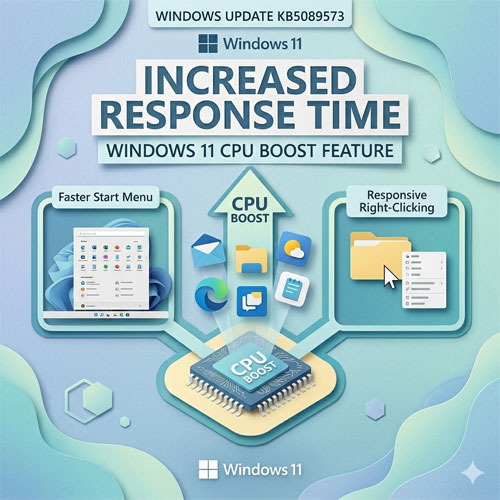
This code ships for Windows 11 versions 24H2 and 25H2. You do not need to buy specialized hardware. Any standard, modern processor capable of basic frequency scaling handles the profile perfectly. Both Intel SpeedStep and AMD Precision Boost manage these rapid power changes right out of the box. You can install it today. Go to Settings. Open Windows Update. Click Advanced options. Install the optional KB5089573 package. The installation requires a standard system reboot to modify the core thread scheduler. Microsoft uses a Controlled Feature Rollout for this release. The required system files download to your local SSD immediately. The operating system waits a few days before turning the code on. Microsoft makes this behavior mandatory for everyone during the June 2026 Patch Tuesday cycle. Every Windows 11 machine will run this new thread scheduling method by default.
Pushing a processor to its absolute maximum limit creates sudden heat. You will see sharp, vertical peaks in your Task Manager usage graphs when opening a simple utility like Calculator. These graphs look alarming. They operate exactly as Microsoft intended. Total battery life remains exactly the same. A processor running at 100% capacity for one second burns the exact same wattage as a processor running at 50% capacity for two seconds. You trade a flat, steady power draw for highly concentrated bursts of energy. Laptop fans will spin up more frequently during basic web browsing. The CPU hits its thermal threshold faster during these micro-bursts. The laptop cooling system reacts to that sudden heat generation. Desktop users running massive air coolers or custom liquid loops will never hear a difference. Thin computers like the Surface Pro get noticeably louder. The silicon itself handles these rapid temperature swings without any physical wear or degradation.
You cannot turn this feature off. The Low Latency Profile functions as a permanent, hardcoded piece of the Windows 11 shell. Microsoft built zero graphical switches to disable it. You will find no registry keys to bypass the behavior. The Group Policy Editor completely lacks configuration templates for the new thread scheduler. You cannot opt out once KB5089573 installs on your machine. Your only option to avoid the CPU spikes is refusing the update entirely. Refusing the update permanently breaks your compatibility with future security patches. You must accept the aggressive new processor behavior to keep your system protected from external network threats. The operating system seizes total control over the initial frequency scaling. You permanently lose the ability to restrict desktop UI processor states. The feature just runs.