Windows comes with many tools and utilities to do a variety of things such as performing backups, defragmenting your hard drive, changing your default programs, adding printers and so on. If you don’t know where to get to all these tools and utilities then it may be hard to ever get to use them. Windows God Mode is a hidden feature in the Windows operating system that acts as a master control panel for system settings. Instead of navigating through multiple menus in the Control Panel or Settings app, God Mode brings together hundreds of configuration options into one convenient location. From user account management and security settings to power options and administrative tools, everything is organized in a single folder for quick access. Despite its name, God Mode doesn’t unlock secret powers or new capabilities, it simply provides a streamlined way to access existing features.

The Windows programmers added a nice feature which allows you to make a folder that will contain all the Windows tools in one location sorted by category. All you need to do is make a folder and name it with the appropriate text and you are done. You can right click your desktop and choose New Folder and paste the following text exactly as listed for the folder name.
GodMode.{ED7BA470-8E54-465E-825C-99712043E01C}
Make sure to include the period after GodMode and if you don’t want to have it named GodMode you can change that part but the period and the rest of the text have to be exactly as shown. Once renamed, the folder icon changes, and opening it reveals an extensive list of system controls in a clean, categorized view. This makes it especially useful for IT professionals and advanced users who want full control without digging through multiple menus.
Here is the custom icon that will be created when you make the folder.
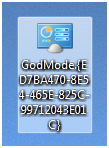
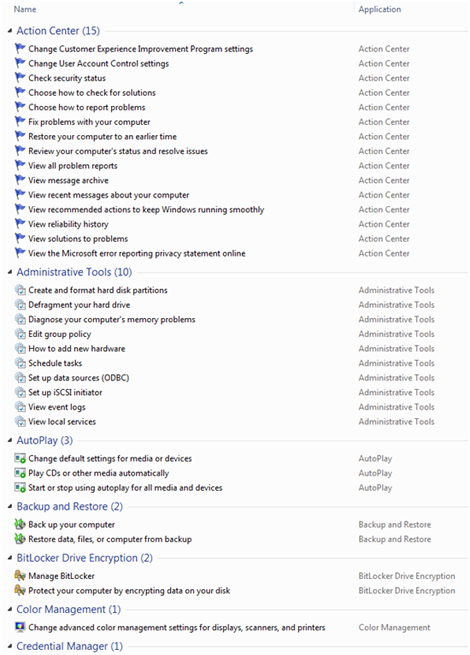
Here is a sample of the many entries in the God Mode folder. As you can see there are many things you can do with this new God Mode folder and the image below shows just a small portion of the available tools and utilities.
Now enjoy your new powers!
There is even an Extended God Mode tool you may want to check out.
For additional training resources, check out our online IT training courses.
Check out our extensive IT book series.