Last Updated on July 26, 2026
The emergence of the cloud has changed the world of computing. The term “cloud” consistently comes up and for some, its function and purpose aren’t quite clear. What is this phenomenon? How does it help us in computing? These are just some of the questions that can pop up in anyone’s mind.
Considering that you can’t run away from technological progress, you shouldn’t miss out on the benefits of cloud computing. You might have some information about it, but for the purpose of completely resolving any mystery that surrounds the cloud, we have answered some of the most frequently asked questions about it.
What is the Cloud?
1. The Basic Definition
In simple terms, cloud computing presents a massive global network through which we can share information, resources, and software. That network that enables sharing of the data is the internet or to be more precise, your active internet connection.
2. The Symbolic Name
The name cloud symbolically presents how cloud computing is present everywhere just as the clouds in the sky are. You can access your data from absolutely anywhere where a stable internet connection exists.
3. The Power of Cloud Storage
One of the most popular ways of exploiting the advantages of the cloud is basic cloud storage. You can upload your files, documents, or images to the cloud storage from one device and then access them from any other device. The data that is in the cloud isn’t codependent with any physical item on your desk.
4. Modern Storage Solutions
It can be used by the cloud user at any moment and from different devices as long as there is an internet connection. Some examples of cloud storage providers are Dropbox, Google Drive, and Microsoft OneDrive. They have completely replaced the need for file saving on floppy disks, CDs, and USB flash drives.
How Does It Work?
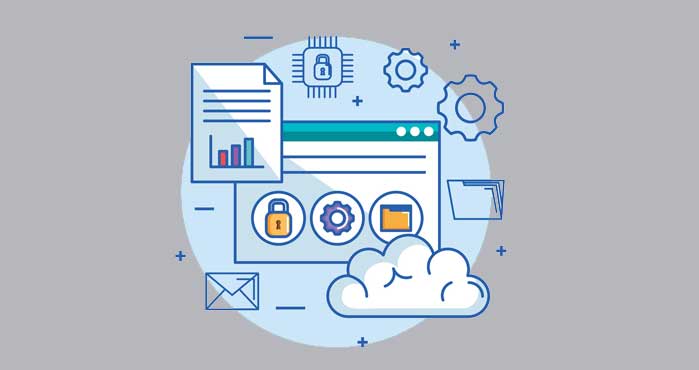
Cloud computing consists of two distinct sections: the front end and the back end. The network connects these two sections and enables the input of data from the computer or other device and the saving of the data in the cloud.
1. The Front End
The front end is the local computer network, the user’s computer, and the specific application you need to access the cloud system. Your web browser is the most common front end interface. However, not all cloud computing systems need to have the exact same interface.
2. The Back End
The back end of the cloud is made of massive data centers, servers, data storage, computers, and different operating systems. Depending on the application the server is entirely different. Amazon Web Services (AWS) and Microsoft Azure are the two largest back end providers in the world.
3. The Ultimate Benefit
What makes the cloud so incredibly useful is that companies and individuals no longer have to depend on their local computing infrastructure. The risk that all files will be gone because of some physical hard drive damage is eliminated. As long as there is an internet connection you can access the files safely on the cloud.
What Are The Different Types Of Cloud Computing?
While cloud computing is used for many different purposes nowadays, there are three main categories that present the different types of cloud computing. You have already used some or all of these types of cloud computing without knowing the technical name of it.
1. Software as a Service (SaaS)
This is the most common type of cloud computing for general consumers. Instead of installing a program on your hard drive, you access the software directly through your web browser. Gmail, Netflix, and Microsoft 365 are perfect examples of SaaS applications.
2. Platform as a Service (PaaS)
This category is primarily used by software developers. It provides a cloud-based environment with everything required to support the complete lifecycle of building and delivering web applications. Developers don’t have to worry about managing the underlying servers or databases.
3. Infrastructure as a Service (IaaS)
This is the most flexible category of cloud services. It provides completely virtualized computing resources over the internet. Companies rent raw server space, network connections, and IP addresses from providers like AWS instead of buying physical hardware for their own office building.
What Do Cloud Computing Services Cover?
The usage of cloud is continuously growing and the options are incredibly versatile. To paint the picture of the purposes that the cloud serves, here are some specific situations in which cloud computing services are used.
1. Data Storage and Backup
This covers the basics of file storage and disaster recovery. Companies back up their entire databases to the cloud to ensure they survive a localized ransomware attack or natural disaster.
2. Massive Processing Power
Cloud computing allows researchers to rent supercomputers by the hour. They use this raw processing power for complex data analysis, weather forecasting, and rendering 3D animations.
3. Artificial Intelligence
The cloud is the only thing powerful enough to run modern AI models. Massive neural networks and natural language processing tools like ChatGPT rely entirely on cloud infrastructure to function.
Is Cloud Computing Safe?
1. The Security Concerns
All the talk about storing your files practically “on the internet” or using the internet to power an application can raise some serious security questions. We hear stories about hackers breaking networks and stealing data all the time. So, can it happen to you?
2. The Enterprise Protection
The cloud does operate as a network and using cloud computing does mean that you will depend on the internet. However, hackers rarely target individual personal accounts. As more and more massive companies migrate to the public cloud, the protection methods arise that keep the hackers away. The new methods of cloud computing security are consistently appearing.
3. The Encryption Standard
The chances that someone will attack your cloud storage for example are significantly less than someone physically stealing your computer. Don’t think for a second that hacking into a cloud system is easy. Even if you don’t go all out to ensure the security of your data, the cloud application providers use military-grade encryption to make the hacker’s job incredibly hard.
Kristin Savage nourishes, sparks, and empowers using the magic of a word. Along with pursuing her degree in Creative Writing, Kristin was gaining experience in the publishing industry, with expertise in marketing strategy for publishers and authors. Besides working as a freelance writer at SupremeDissertations she also does some editing work at WowGrade and BestEssayEducation. In her free time, Kristin likes to travel and explore new countries around the world.