Are Your Chrome Credentials Secure?
Many people like to store their website passwords within their browser so they can be auto filled when you go to the site, so you don’t need to type them in each time, or even remember them! For the most part this is a pretty safe thing to do but you should still never store passwords for things like banking sites and other sites that contain important information that could be used against you if it fell into the wrong hands.
Back in February 2019, Google released an extension for its Chrome web browser called Password Checkup that would analyze your saved passwords and give you a report on things such as sites that were victims of data breaches or what saved passwords of yours are considered weak.
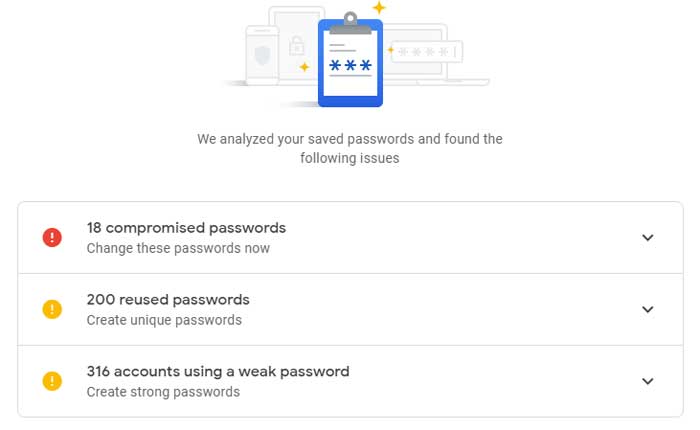
Now you can access this Password Checkup simply by going to https://passwords.google.com/ from your web browser and log in with your Google credentials. After you log in, the Password Checker will run a scan of all of your saved passwords and show you the results of any of your logins that might be compromised, used too often or contain a weak password.
Going to this Password Checker site will send hashes of your passwords to Google to be analyzed but they are encrypted and anonymized so only you will know what the real passwords are. Or at least that’s what Google says! This checker will only work if you are using a Google account to back up your Chrome settings and you also need to be using the Chrome password manager.
Beyond using Chrome’s built-in tools, you should also think about overall device security. If your computer or phone is infected with malware, even encrypted passwords can be exposed. Regularly update your operating system and browser, use reputable antivirus software, and avoid downloading files from unknown sources. For added protection, consider a dedicated password manager that offers zero-knowledge encryption and breach monitoring. Combining these practices with Chrome’s Password Checkup creates a strong defense against credential theft.
For additional training resources, check out our online IT training courses.
Check out our extensive IT book series.