Last Updated on July 19, 2026
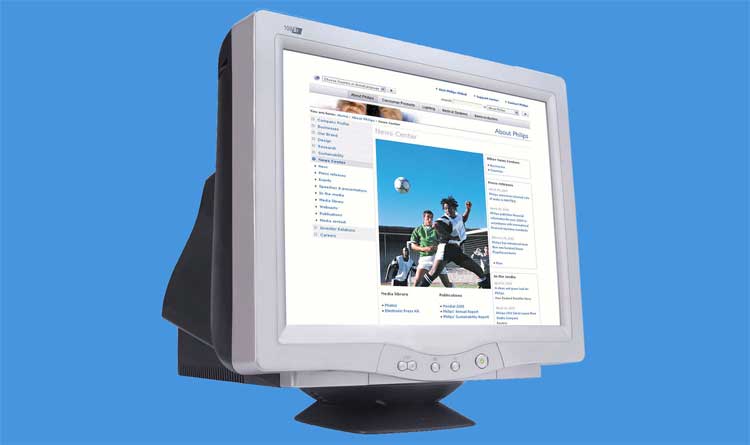
Anyone born before 2003 will have at some stage used a CRT monitor, or a cathode ray tube monitor. The name itself quite aptly captures the incredible bulky and awkward devices that were used to display computers through the greater part of the noughties and nineties. They are better recognized nowadays as things you might occasionally see in a skip out of the back of an office building or in your aging uncle’s man cave.
They are not cutting edge by any means. However, in recent years, a conversation has started back up about the potential merits that these cumbersome screens might offer. They have distinct advantages over their modern-day counterparts. Let’s take a look at the reality of the CRT monitor and what it could possibly offer us today.
Exploring the Resolution Benefits
1. The Absence of Native Resolution
The CRT monitor has a surprising advantage over many modern screens in how they handle resolution. Modern HD monitors have a native resolution that forces the image to stretch if the incoming signal fails to match the physical pixel count. This stretching ruins the visual quality completely. The old CRT monitors do not have a native resolution inherent to their screen.
2. Smooth Scaling for Low Resolutions
Instead of physical pixels being used, the image is painted directly onto the inside of the screen with electron beams. The end result is that having a low-resolution image and putting it up on a CRT screen will always look smooth and appealing. You never get the jagged, blurry mess seen on a modern flat panel.
3. Performance Boosts for Modern Systems
The benefit of this is that there are times you might want to be operating in resolutions lower than high definition. You might want to boost your frames per second in a demanding video game. You might be handling a difficult video edit with large cumbersome files. Things still look incredibly good at a lower resolution on these vintage displays. This allows you to give your system a break rather than forcing your graphics card to power through massive pixel counts.
Display Methods and Motion Clarity
1. The Problem with LCD Motion
Have you ever watched something on an LCD flat screen and thought that it looked a little weird or too smooth? This uncanny effect is related to the specific display method that HD screens use. An advanced flat screen uses a sample-and-hold display method where each frame is frozen in place for the duration of its length. It seamlessly replaces the image when it needs to transition.
2. Natural Phosphor Decay in CRTs
Though this sounds good on paper, it clashes with the human brain’s way of perceiving movement. It gives fast action a very unusual feel. Modern screens use motion smoothing and intermittent black frames to try and rectify the situation. A CRT monitor lets each frame naturally extinguish itself as the phosphors start dying soon after being painted on the screen. The overall effect produces far superior motion clarity without any artificial blurring.
Achieving True Black Levels
1. Backlight Bleed on Flat Panels
The black that standard modern screens display is nowhere near true black. When the screen is meant to be black, the responsible pixels switch off to generate that dark image. They completely fail to block the bright light coming in from the backlight behind the panel. This leaves black areas looking more like a washed-out grey.
2. Perfect Blacks via Electron Beams
CRT screens use the direct painting method to eliminate this problem entirely. They display a rich and deep true black almost perfectly because the electron beam simply stops firing in dark areas. Modern OLED and MicroLED panels finally replicate this exact effect today. Standard budget LED monitors still struggle heavily with this backlight bleed issue.
The Reality of CRT Drawbacks
1. Physical Size and Power Consumption
The big drawback with CRT screens is that they are impossibly clunky and a massive pain to move. They take up half of your physical desk space. They also drain extreme amounts of electricity compared to modern flat panels. They are terrible for viewing widescreen content and practically useless for modern office productivity.
2. Niche Gaming and Retro Enthusiasm
On balance, they are not worth it for the average computer user. If you have a niche interest in high quality displays for retro gaming, it might be worth taking a look. Competitive gamers still hunt down high-end Sony and NEC models for their zero input lag.
About the Author
1. Professional Background
Alicia Kidwell is a recruiter at PhdKingdom and AcademicBrits and supports clients in a variety of industries. She operates in recruitment by sourcing and screening candidates and developing diverse recruitment techniques. She has over seven years of recruiting and human resources experience.
2. Writing and Tech Passion
Alicia is passionate about sharing her knowledge on a whole variety of subjects ranging from tech to music. In her spare time, she writes for blogs and online magazines like Assignment Help. Her background provides a unique perspective on how legacy technology impacts modern professional environments.