Last Updated on July 19, 2026
So it’s time to replace that old CRT monitor with a flat screen and now the question on your mind is which type of monitor should I get, an LCD (Liquid Crystal Display) or the newer LED (Light Emitting Diode) type monitor. Flat screen monitors have been around for a long time now and they are getting cheaper all the time. You can get a nice sized monitor like a 24 or 27-inch display for well under $200 nowadays. With these rock-bottom prices, there is absolutely no reason to have a bulky CRT monitor anymore unless you specifically need it for retro gaming setups.
Now that you have made up your mind that you are getting your new monitor, you may want to know the difference between LCD and LED monitors to help in your decision as to what type to get. One thing to keep in mind is that true modern LED monitors will be slightly more expensive since it utilizes newer technology. Another huge selling point that people like about LED monitors is that they are significantly thinner and lighter than traditional LCD monitors.
Understanding the Backlighting Technology
1. How LCD Monitors Are Lit
What sets LED monitors apart from LCD monitors is exactly the way they are backlit. Backlighting illuminates the monitor from the back of the physical display panel. Traditional LCD monitors use a cold cathode fluorescent lamp (CCFL) for its backlighting. This older technology requires a thicker plastic casing to house the bulky fluorescent tubes.
2. How LED Monitors Are Lit
Modern LED monitors completely ditch the fluorescent tubes. They use tiny Light Emitting Diodes (LEDs) for backlighting, hence the name. This specific type of backlighting is exactly what allows for the thinner monitor profiles. It also offers other massive advantages such as less power consumption, a much brighter image, and it gives off significantly less ambient heat.
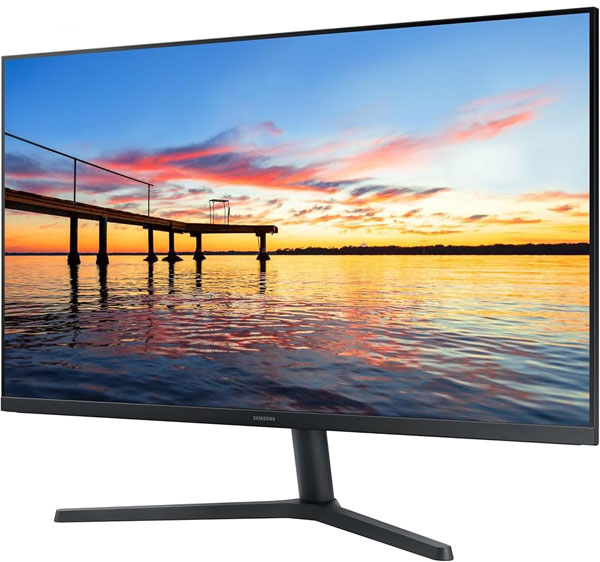
Types of LED Monitor Configurations
1. Edge-Lit LED Displays
There are two main types of LED monitors to consider when shopping around. The first is Edge LED technology. This configuration uses tiny LEDs placed entirely around the outer monitor frame. The light is then diffused across the entire screen using a special light guide panel. This allows manufacturers to build incredibly thin and lightweight monitors.
2. Full-Array RGB Dynamic LED Displays
The second type is RGB dynamic LED, also known as full-array local dimming. RGB dynamic uses hundreds of LEDs placed directly behind the entire screen panel. This allows the monitor to dim specific zones of the screen to create perfect, deep black levels. This is the absolute best option for high-end gaming and professional video editing.
Viewing Angles and Image Quality
1. LCD Viewing Angle Limitations
When looking at a traditional LCD monitor, you need to be standing directly in front of it. If you move off to the side and try and look at the screen, it will be much harder to see. You instantly lose the backlight illumination and the image becomes severely washed out and darker. This makes older LCD panels terrible for multi-monitor setups.
2. LED Viewing Angle Superiority
LED monitors offer a significantly better picture from extreme viewing angles. The light emitting diodes push illumination much more evenly across the physical panel. Some will say that LED monitors offer a finer resolution and more natural color as well. IPS (In-Plane Switching) LED panels are specifically designed to eliminate color shifting completely.
Making Your Final Purchasing Decision
1. Consider Your Budget and Needs
So as you can see there is not much difference between the two types of monitors except for how they are internally backlit. It seems that LED monitors have a clear advantage in almost every single category. Traditional CCFL LCD monitors are essentially obsolete and very difficult to even find brand new in stores today.
2. Test the Displays in Person
There are still some people who think older LCD monitors have a “softer” picture that is easier on the eyes for reading text. What you need to do is go see them in person before buying one. Different brands will have vastly different quality levels. It’s never a good idea to buy a monitor online without seeing the color accuracy for yourself first.