Last Updated on April 8, 2026
Text editors are used for a variety of things from typing simple notes to editing scripts and html files. Windows comes with a basic text editor called Notepad that doesn’t do much except edit text. If you need to do some more advanced features then you are out of luck and will need to use another program.
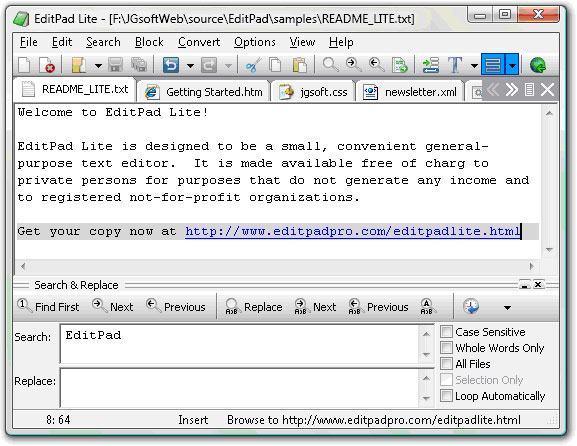
What sets EditPad Lite apart is how it balances power with simplicity, making it useful for both casual users and those who regularly work with code or structured text. It supports multiple files opened at once with tabbed editing, making it easy to switch between scripts, configuration files, or web pages without juggling windows. Features like syntax highlighting for various programming and markup languages, configurable fonts and colors, and advanced search and replace tools help improve readability and productivity when working with larger or more complex files. Unlike basic editors, EditPad Lite is designed to handle big files efficiently, which can be a lifesaver when opening logs or data files that would slow down simpler tools. All of this comes in a lightweight package that doesn’t overwhelm you with unnecessary options, making it a solid upgrade for anyone who has outgrown Notepad but doesn’t need a full-blown development environment.
EditPad Lite is a free text editor that offers many features beyond your typical Windows Notepad. If you used a text editor for things such as HTML coding or writing scripts or batch files then EditPad may be your new program of choice.
Here are some of the features of EditPad Lite:
- Open multiple files at one time by using tabs
- No limits on the file size or length of a line of text
- Unlimited undo and redo feature
- Ability to edit Unicode, DOS, KOI8 and EBCDIC code pages among others
- Specify print settings such as font, margins, and headers/footers
- Support for other languages
- Customizable interface
They also offer a professional version called EditPad Pro that includes all of the above features plus many more such as an integrated spell checker and hexadecimal editing.
Download EditPad Lite.